Mobile Pass
an alternative to the physical ski pass
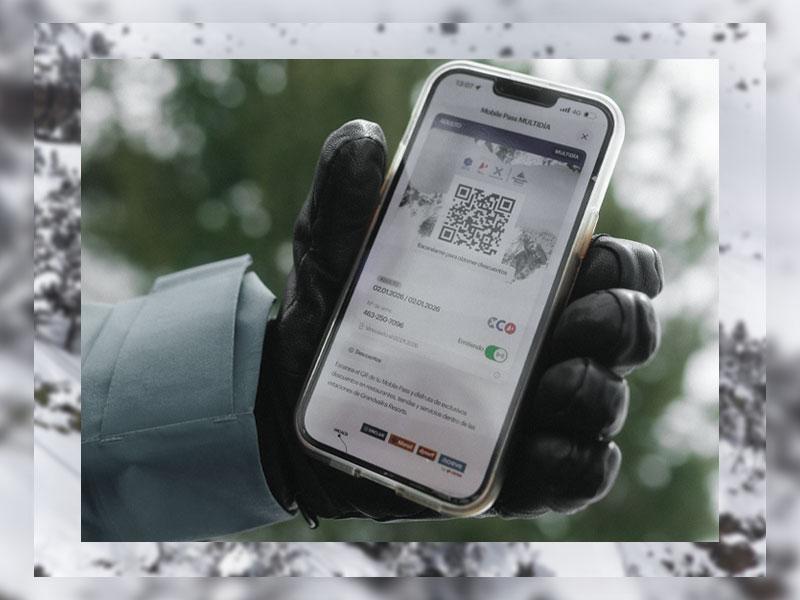
Mobile Pass, the digital ski pass
Mobile Pass is the digital ski pass from Grandvalira Resorts that allows you to access the lifts with your mobile.
By easily activating it from the Grandvalira Resorts App, your access will be ready in a matter of seconds and there’s no need to pick up any physical support.
Activate your Mobile Pass for online purchases
- Log in to the Grandvalira Resorts App with the same email you used to purchase.
- The ski pass will appear in the “Mobile Pass” section of the App.
- Link it to your device (you will only need an Internet connection during the purchase process and to activate it. Once activated, you will no longer need an Internet connection).
- On the day you go skiing, activate it (you will need Bluetooth).
Once activated, keep your phone in your left pocket to access the lifts.
Share the Mobile Pass in online purchases
All ski passes will appear in the “Mobile Pass” section of the buyer’s App. To share them with users: Link your Mobile Pass to your device if you are also going to ski. Share the rest of the Mobile Pass with each person in your group using a link or a QR code generated by the App.
Each person receiving a Mobile Pass should:
- Have the Grandvalira Resorts App installed.
- The ski pass will appear in the “Mobile Pass” section of the App.
- Link it to their device (you will only need an Internet connection during the purchase process and to activate it. Once activated, you will no longer need an Internet connection).
- On the day of skiing, activate it (Bluetooth will be needed).
Once activated, keep your phone in your left pocket to access the lifts.
How to activate your Mobile Pass if you buy it at the ticket office
When you make your purchase at the ticket offices or self-service machines, you will receive a QR code to activate the Mobile Pass (one code for each Mobile Pass purchased).
- Scan the QR code with the Grandvalira Resorts App (if you don’t have it, install it).
- The ski pass will appear in the “Mobile Pass” section of the App.
- Link it to your device (You will only need an Internet connection during the purchase process and to activate it. Once activated, you will no longer need an Internet connection).
- On the day you go skiing, activate it (you’ll need Bluetooth).
Once activated, keep your phone in your left pocket to access the lifts.